Service Maps: Visualize the Flow of Your Code with CodeSee
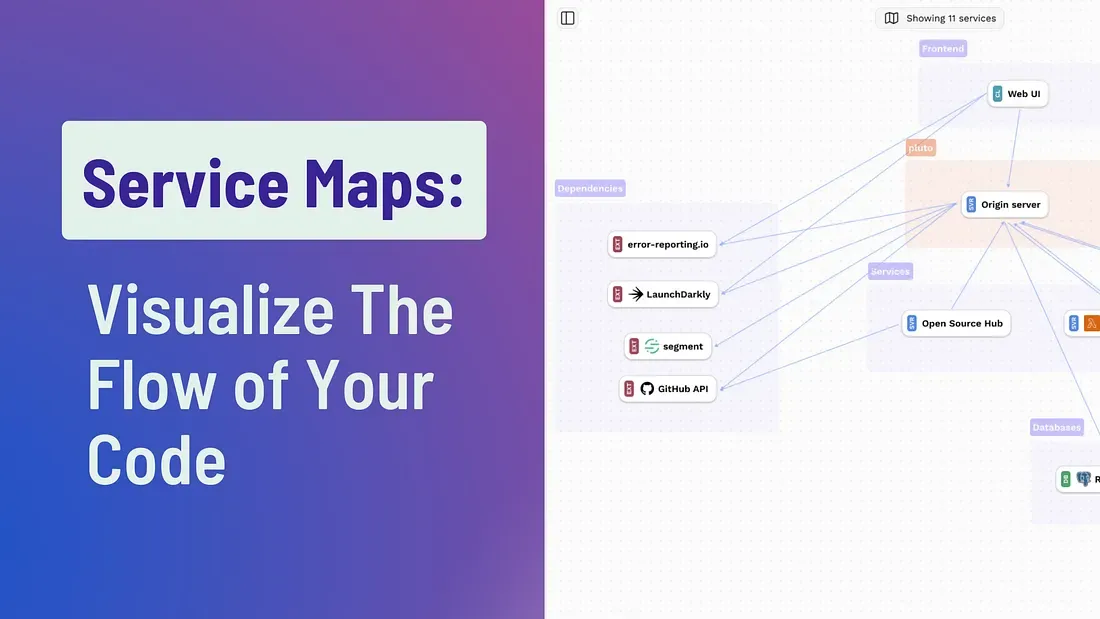
Modern software systems are complex. Microservices talk to APIs, APIs call databases, background jobs trigger other services—and somewhere in that maze is the logic you’re trying to understand, debug, or refactor.
If you’ve ever asked:
- “What services are actually connected in this system?”
- “What breaks if I change this?”
- “How does data really flow through production?”
Then Service Maps from CodeSee might be the visibility layer your team is missing.
In this guide, we’ll explore how CodeSee Service Maps work, why they matter, and how they help teams visualize code architecture and service dependencies in real time.
What Is CodeSee?
CodeSee is a developer platform designed to help engineering teams visualize, understand, and collaborate on complex codebases.
Instead of manually maintaining outdated architecture diagrams, CodeSee automatically generates interactive maps of your system. These maps evolve as your code changes, giving teams a dynamic and accurate view of:
- Code structure
- Service architecture
- Dependencies
- Runtime flows
You can think of it as a living system map for your software.
What Are Service Maps?
Service Maps in CodeSee provide a visual representation of how services communicate and how requests flow through your system.
Rather than focusing only on static file relationships, Service Maps show:
- Services in your architecture
- How those services connect
- The direction of communication
- Execution paths and runtime flows
This means you’re not just seeing code—you’re seeing how your application behaves in the real world.
Why Visualizing Code Flow Is Critical
1. Understand Microservices Architecture Instantly
In a microservices environment, it’s common to have dozens (or hundreds) of services interacting. Without a visual system:
- Dependencies are unclear
- Impacts of changes are risky
- Debugging becomes slow
Service Maps make these relationships visible at a glance. Each service appears as a node, with connections representing communication between components.
You immediately see:
- Which services are central
- Which services are isolated
- Where bottlenecks might exist
2. Improve Developer Onboarding
Onboarding engineers into a large codebase is expensive and time-consuming.
Instead of reading documentation and tracing code manually, new developers can:
- Open the Service Map
- Explore system architecture visually
- Follow execution paths
- Understand high-level structure in minutes
This drastically reduces cognitive load and speeds up ramp-up time.
3. Debug Faster with Runtime Flow Visibility
One of the most powerful features of CodeSee Service Maps is the ability to visualize real execution flows.
You can filter maps by:
- Environment (production, staging, etc.)
- Time range
- Specific service interactions
This allows teams to:
- Trace request paths
- Identify unexpected service calls
- Detect inefficient routing
- Investigate production issues with context
Instead of guessing where failures propagate, you can see how traffic moves through your system.
4. Refactor with Confidence
Before refactoring a service, developers often ask:
“Who depends on this?”
Service Maps provide instant clarity. By viewing incoming and outgoing connections, teams can:
- Assess impact radius
- Avoid breaking downstream services
- Plan migrations safely
- Identify tightly coupled systems
Refactoring becomes data-driven instead of fear-driven.
Key Features of CodeSee Service Maps
🔎 Interactive Exploration
Click on a service to view metadata, inbound and outbound connections, and interaction patterns.
🔄 Automatically Updated Maps
Unlike manually drawn architecture diagrams, Service Maps update as your system evolves.
📊 Real-World Data
Maps reflect actual service communication—not just theoretical architecture.
🧩 Visibility into External Services
CodeSee can infer and visualize external dependencies such as APIs and databases, helping you understand your full ecosystem.
Who Should Use Service Maps?
Service Maps are especially valuable for:
- Engineering teams managing microservices
- CTOs needing architectural visibility
- DevOps teams troubleshooting distributed systems
- Startups scaling rapidly
- Enterprises modernizing legacy systems
If your system complexity is growing, visual observability becomes essential—not optional.
How Service Maps Improve Software Architecture Decisions
When architecture is invisible, decisions rely on assumptions.
When architecture is visual:
- Technical debt becomes obvious
- Over-connected services stand out
- Opportunities for modularization emerge
- Performance choke points are easier to detect
By visualizing the flow of your code, CodeSee turns architecture from an abstract concept into something concrete and actionable.
SEO Takeaways: Why Code Visualization Matters
If you're searching for:
- How to visualize microservices architecture
- Tools to map service dependencies
- How to understand code flow
- Codebase visualization tools
- Service mapping for developers
CodeSee’s Service Maps provide a modern solution built specifically for engineering teams navigating complex systems.
Final Thoughts: See Your Code, Don’t Just Read It
Software systems are only getting more distributed and more interconnected.
Relying solely on documentation and mental models isn’t scalable.
With Service Maps from CodeSee, you gain:
- Architectural clarity
- Runtime visibility
- Faster onboarding
- Safer refactoring
- Better debugging
In short: you stop guessing how your system works—and start seeing it.
Source : Dewatogel