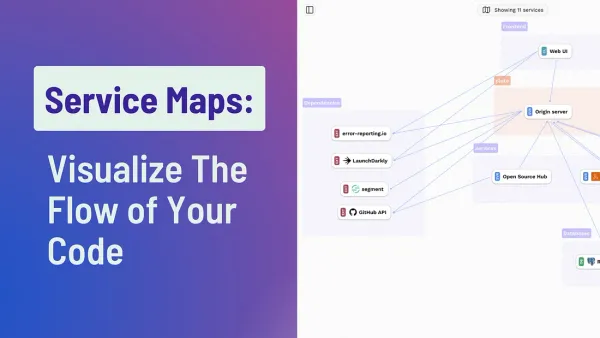
What Is the CodeSee Review Maps Extension?

If you're a developer looking for smarter, faster, and more visual code reviews, then the CodeSee Review Maps extension is something you should know about. It brings a powerful new way to review pull requests directly inside Visual Studio Code with interactive, visual maps of your changes — turning traditional text-only code reviews into intuitive, graphic experiences that speed up understanding, collaboration, and merge decisions.
💡 Why CodeSee Review Maps Matter
Most developers know the pain of code reviews: scanning dozens of files, manually understanding dependencies, and trying to remember how one change affects another. Traditional reviews often force you to:
- Read files alphabetically rather than logically
- Guess relationships between changes
- Spend extra time mentally reconstructing flows
With CodeSee Review Maps, all of this changes — you get a visual representation of your pull request data right in your editor.
📍 Key Features of the Review Maps Extension
🔍 Visualize Pull Request Changes Instantly
Rather than flipping through dozens of diff views, the Review Maps extension gives you a graphical map showing files and their dependencies so you can see what really changed and how it relates to the rest of your codebase.
🧠 Understand Relationships Without Guesswork
Click on individual files to explore their connections and dependencies, and zoom and drag to focus on the part of the change that matters most.
✨ Open Review Maps Directly in VS Code
You don’t need to switch to a separate browser tool — just use the Command Palette (Ctrl/Cmd + Shift + P) to open the Review Map of a pull request you’re inspecting in VS Code.
📌 Mark Files as Reviewed
Right-click to mark files as viewed directly in the map, and those markers are reflected back in GitHub — helping track progress visually instead of with manual checklists.
📊 Integrated with GitHub Pull Requests
The extension works alongside the GitHub Pull Requests and Issues extension, allowing you to open a Review Map from the sidebar without checking out a branch — super useful for fast context switching.
🛠 How It Works
To get started with the Review Maps extension:
- Search for “CodeSee Review Maps” in the Visual Studio Marketplace and install it.
- Install the GitHub Pull Requests and Issues extension for VS Code.
- Open the repository you want to review.
- Log into your CodeSee account when prompted.
- Use the VS Code Command Palette to run
CodeSee: Open Review Map.
That’s it — a live visual map of your pull request appears, showing the structure of the change and the context around it in a way that reading diffs alone simply can’t match.
📈 Benefits for Developers & Teams
⚡ Faster Review Times
By reducing cognitive load and making the impact of a change instantly clear, Review Maps can significantly cut down the time it takes to review and merge pull requests.
📚 Better Collaboration
Visual maps provide a shared understanding for teams, letting authors and reviewers talk about structure and logic — not just lines of code.
🧠 Improved Context Awareness
Review Maps help you follow dependencies and logic flows, so you rarely have to guess where a change matters most.
💬 Final Thoughts
The CodeSee Review Maps extension brings a fresh perspective to code reviews — one that aligns with how developers think about software changes: visually, logically, and collaboratively. Instead of a long sequence of textual diffs, you get a big-picture overview that makes it easier to identify impacts, dependencies, and insights faster and with less friction.
If you want to rebalance your review workflow toward clarity, speed, and collaboration, Review Maps is a must-try for developers using VS Code and GitHub.
Source : Bolagila
Source 2 : Dewalive